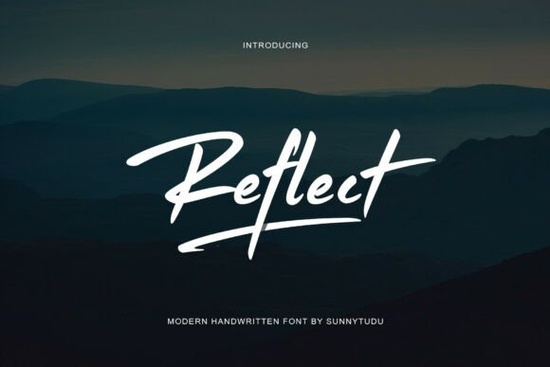
If you're looking for a handwritten font that feels like it was scribbled with speed and purpose, the Reflect Handwritten Font by Sunnytudu is worth a close look. It's built around fast, sweeping strokes and sharp tapering ends the kind of brushwork you'd see on streetwear tags, cinematic posters, and sports branding. The slight slant and dry brush texture give it a raw, confident energy that most script fonts don't deliver.
What Makes Reflect Stand Out from Other Script Fonts?
Plenty of script fonts and brush fonts try to look hand-drawn, but many end up feeling stiff or overly polished. Reflect doesn't fall into that trap. The letterforms look like they were painted quickly with intention but without fussiness. That's what makes it feel authentic.
The dry brush texture is a big part of its personality. Instead of smooth, glossy strokes, you get visible roughness along the edges. That gives designs a gritty, street-level quality. Combined with the slightly slanted rhythm, it reads as both personal and bold.
If you've explored fonts like Allura Signature, you'll notice Reflect takes a very different approach. Where Allura leans elegant and flowing, Reflect is fast and direct. It's less about grace and more about attitude.
What Types of Projects Work Best with This Font?
Reflect was designed with specific uses in mind, and it really shines in those contexts:
- Streetwear branding logos, hang tags, and apparel graphics
- Photography watermarks bold enough to be noticed, personal enough to feel human
- Cinematic titles movie posters, YouTube thumbnails, and event graphics
- Sports marketing team logos, promotional banners, and athlete branding
- Social media graphics quote posts, story overlays, and bold text layouts
It's also a solid pick for print-on-demand sellers who want a handwritten look that doesn't feel too soft or too formal. Think mug designs, tote bags, and poster prints aimed at a younger, edgier audience.
Does Reflect Pair Well with Other Fonts?
Absolutely. Handwritten fonts like this work best when they're balanced with something cleaner. Pair Reflect with a simple sans-serif for body text, and you'll get a layout that's easy to read but still visually interesting.
For project variety, you might also want to look at options like Aurelia for a softer script feel, or Van Marigella if you need something with a more flowing, elegant touch. Mixing and matching fonts across your design library gives you flexibility for different client needs and project types.
If you're working on something with a warm, seasonal vibe, Family Holiday could complement Reflect nicely one for headers, one for supporting text.
Is This Font Easy to Use for Beginners?
Yes. Reflect comes as a standard font file that installs like any other. Once installed, you can use it in Photoshop, Illustrator, Canva, Cricut Design Space, or any program that supports custom fonts.
A few things to keep in mind:
- Kerning matters. Because the strokes are fast and sweeping, some letter pairs might need manual spacing adjustments.
- Size it right. This font works best at larger sizes where the brush texture is visible. At very small sizes, the details can get lost.
- Use it sparingly. A full paragraph in a dry brush script can be hard to read. Save it for headlines, logos, and short phrases.
Where Can You Find Similar Handwritten Fonts?
Creative Fabrica has a large library of handwritten and script fonts. If you're building a collection, you might also want to check out Sallintine for another expressive script option. Having several styles on hand means you can match the right font to the right project without compromise.
You can also browse more reflect handwritten font options on Creative Fabrica to compare styles and find the exact look you need.
Quick Checklist Before You Buy
- ✅ Know your use case. Reflect is best for bold, high-energy designs not delicate invitations.
- ✅ Check the license. Make sure the license covers your intended use, especially for POD or commercial projects.
- ✅ Test at your target size. Download a preview and check how it looks at the scale you'll actually use.
- ✅ Plan your pairings. Pick a clean sans-serif or sans display font to go with it before you start designing.
- ✅ Keep a backup font. Build a small library of script and handwritten fonts so you always have options ready.
Tip: Before committing to any font for a client project, test it across two or three layout variations. A font that looks great on its own might not sit right in every composition and catching that early saves time and revisions.
Get Started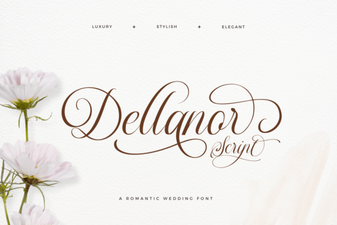 Add Elegance with Dellanor Script Font
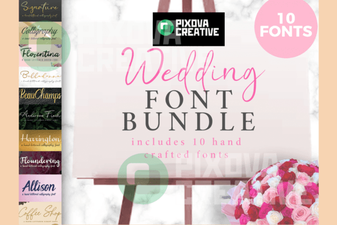 Beautiful Wedding Font Bundle Collection for Elegant Designs
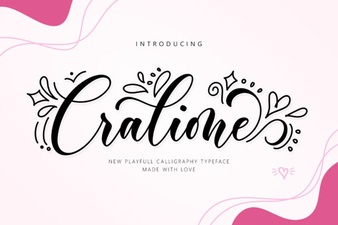 Cralione Script Font for Elegant and Creative Design Projects
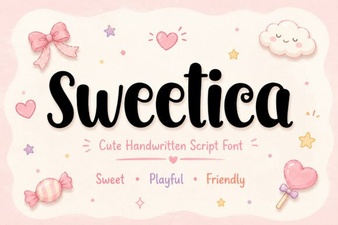 Sweetica Font: a Sweet Choice for Creative Design Projects
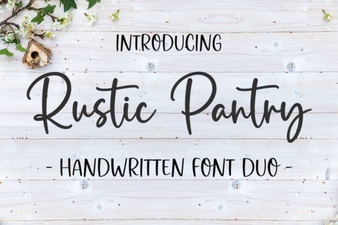 Rustic Pantry Script Font – Handwritten Free Download
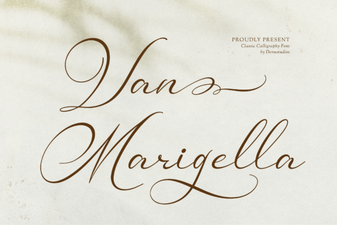 Van Marigella Font - Elegant Script Font Free Download