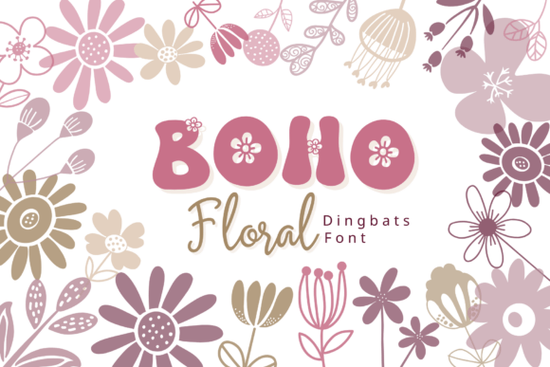
If you've been looking for a simple way to add hand-drawn floral graphics to your projects without opening Illustrator or Canva, the Boho Floral Font might be exactly what you need. It's a dingbat font where every letter and number maps to a unique boho-style flower illustration. Just type, and you get a ready-to-use botanical graphic. No vector skills required.
What Is a Dingbat Font and How Does It Work?
A dingbat font is a typeface where each character displays a symbol or illustration instead of a traditional letter. With the Boho Floral dingbats collection, every A–Z letter, lowercase a–z, and digit 0–9 produces a different floral element. You install it like any other font, open your favorite design program, select the font, and type. Each keystroke drops in a flower, leaf, or botanical stem.
This makes it incredibly beginner-friendly. If you can type on a keyboard, you can use this font no extra software or plugins needed.
What Kind of Floral Designs Are Included?
The glyphs in this font cover a range of botanical styles. You'll find:
- Stylized daisies and blooming buds
- Elegant leaves and wildflower stems
- Simple line-art botanicals with a soft, earthy feel
- Mixed floral compositions that work well together
The overall look is minimal and clean, with thin linework and a free-spirited bohemian vibe. Every icon is designed to look good on its own or combined into patterns, borders, and decorative arrangements. If you pair multiple characters together, you can quickly build repeating motifs or custom wreaths.
Who Is This Font Best For?
This font works well for a wide range of creative projects and skill levels. Here are some common uses:
- Wedding invitations add delicate floral accents without hiring an illustrator
- Sticker sheets type out a row of flowers, export, and print
- Logo and branding kits use individual botanicals as brand marks or dividers
- Planners and journals decorate pages with consistent, pretty graphics
- Posters and wall art arrange flowers into compositions for digital or print sales
- Instagram graphics and social posts create on-brand content fast
- Print-on-demand products design mugs, tote bags, and apparel with floral elements
Whether you're a small business owner building a brand identity or a crafter who sells on Etsy, this kind of font saves real time. Instead of searching for individual SVG files, you just type what you need.
Can I Use It for Print-on-Demand Designs?
Yes, and this is one of the strongest use cases. Print-on-demand sellers often need quick, original graphics that don't look generic. With this font, you can create unique floral compositions by combining different characters. Stack a few botanicals side by side, adjust sizing, and you have a one-of-a-kind arrangement for t-shirts, mugs, or tote bags.
The key thing to check is the license. Creative Fabrica offers different license types, so make sure the one you choose covers commercial use for your specific product category.
How Does It Compare to Other Floral Fonts?
There are several floral dingbat fonts available on Creative Fabrica. For example, Floral Doodle Font offers a slightly different illustration style with more playful, sketch-like details. The Boho Floral Font leans more toward soft, minimal linework with earthy, feminine aesthetics. Choosing between them comes down to the mood you want for your project.
If your brand or design style is warm, organic, and nature-inspired, boho floral is a strong fit. If you want something more whimsical or doodle-like, there are other options worth exploring on the platform.
Quick Tips for Using Dingbat Fonts in Your Designs
Here are a few practical things to keep in mind:
- Use a character map most operating systems have a built-in character viewer that lets you browse all available glyphs
- Layer and overlap don't be afraid to stack multiple flower characters on top of each other for richer compositions
- Adjust kerning dingbat fonts sometimes need manual spacing tweaks between characters
- Combine with text fonts pair your floral graphics with a clean serif or script font for invitations and branding
- Export at high resolution since these are vector-based characters, they scale well for print
Before You Buy A Simple Checklist
- Confirm the font supports the characters you need (A–Z, a–z, 0–9)
- Check that the license matches your intended use (personal vs. commercial)
- Preview the full glyph set so you know exactly what illustrations you're getting
- Make sure your design software supports custom font installation
- Test a few characters in a sample project before committing to a full design
If floral, nature-inspired graphics are a regular part of your creative workflow, a dingbat font like this one is a practical tool to have on hand. It cuts down design time and gives you consistent, hand-drawn style graphics with a single keystroke.
Try It Free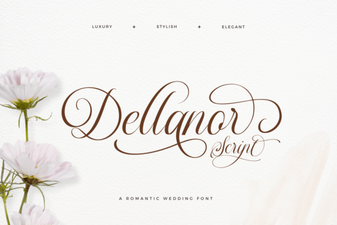 Add Elegance with Dellanor Script Font
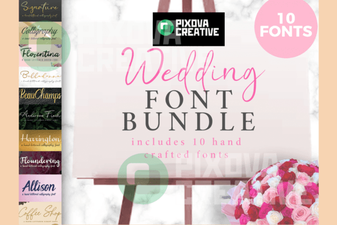 Beautiful Wedding Font Bundle Collection for Elegant Designs
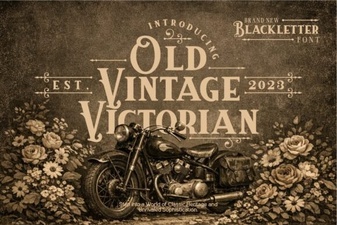 Elegant Victorian Font for Classic Designs
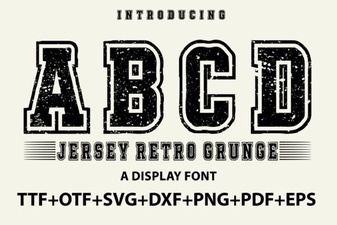 Jersey Retro Grunge Font for Bold Vintage Design Projects
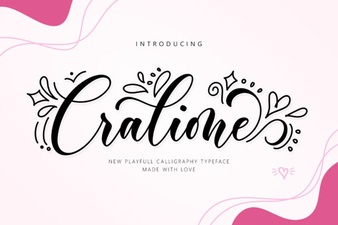 Cralione Script Font for Elegant and Creative Design Projects
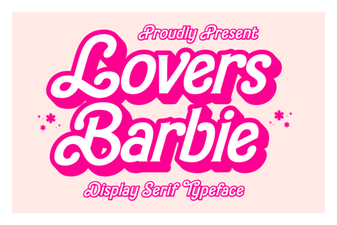 Lovers Barbie Font: Sweet & Stylish Typography